TikTok doesn’t keep its LIVE rules in one place. There’s a LIVE section in the Community Guidelines, a separate set of LIVE Monetization Guidelines for everything gift-related, a checklist for LIVE creators in the help center, and a LIVE Safety Guide on top. We’ve read all of them so you don’t have to. Below are the TikTok LIVE rules as of October 2026, sorted by the moments where they actually come up on stream, with a link to TikTok’s own page for each one.
Who can go LIVE at all
Before any content rule kicks in, TikTok checks your account. You have to be 18 or older to go LIVE, and the same age limit applies to sending gifts to a creator. On top of that, TikTok switches LIVE on at 1,000 followers in most regions. Our TikTok LIVE requirements guide covers that list in detail, technical setup included. This guide is about what comes after: the rules while you’re on.
What you can’t do on TikTok LIVE
TikTok’s help center sums up the Community Guidelines for LIVE creators in a short list of things to avoid. The page is written for LIVE Studio, but it’s TikTok’s own summary of rules that apply to every LIVE, phone or PC:
| Topic | What TikTok asks of you |
|---|---|
| Sexual content | No nudity, no sexually explicit language, nothing that imitates or implies sex acts, and no offering or asking for sexual services or chats. |
| Hate and harassment | No degrading people over protected attributes like race or ethnicity, no hateful slurs, no attacking others with vulgar speech or insulting gestures. |
| Violence and danger | No graphic or violent behavior, no dangerous stunts, dares or challenges, and no driving while you’re LIVE. |
| Gambling | Don’t promote it. |
| Personal information | Don’t share your exact location in real time, and watch the background of your shot: TikTok’s own examples are a home address or an employer that’s visible by accident. |
| Copyright | No sports broadcasts from TV or pay-per-view, no movies or shows, no content other creators posted or streamed, no videos from other platforms, unless you have permission. |
Sensitive and mature themes are on TikTok’s list of topics to avoid, too. A LIVE with content that isn’t suitable for young people gets limited to viewers aged 18 and older, and TikTok’s LIVE Safety Guide asks you to make that call yourself when your content has sensitive themes or adult humor: switch on Audience controls in your LIVE settings before you start.
Why recorded, looped and unattended streams get flagged
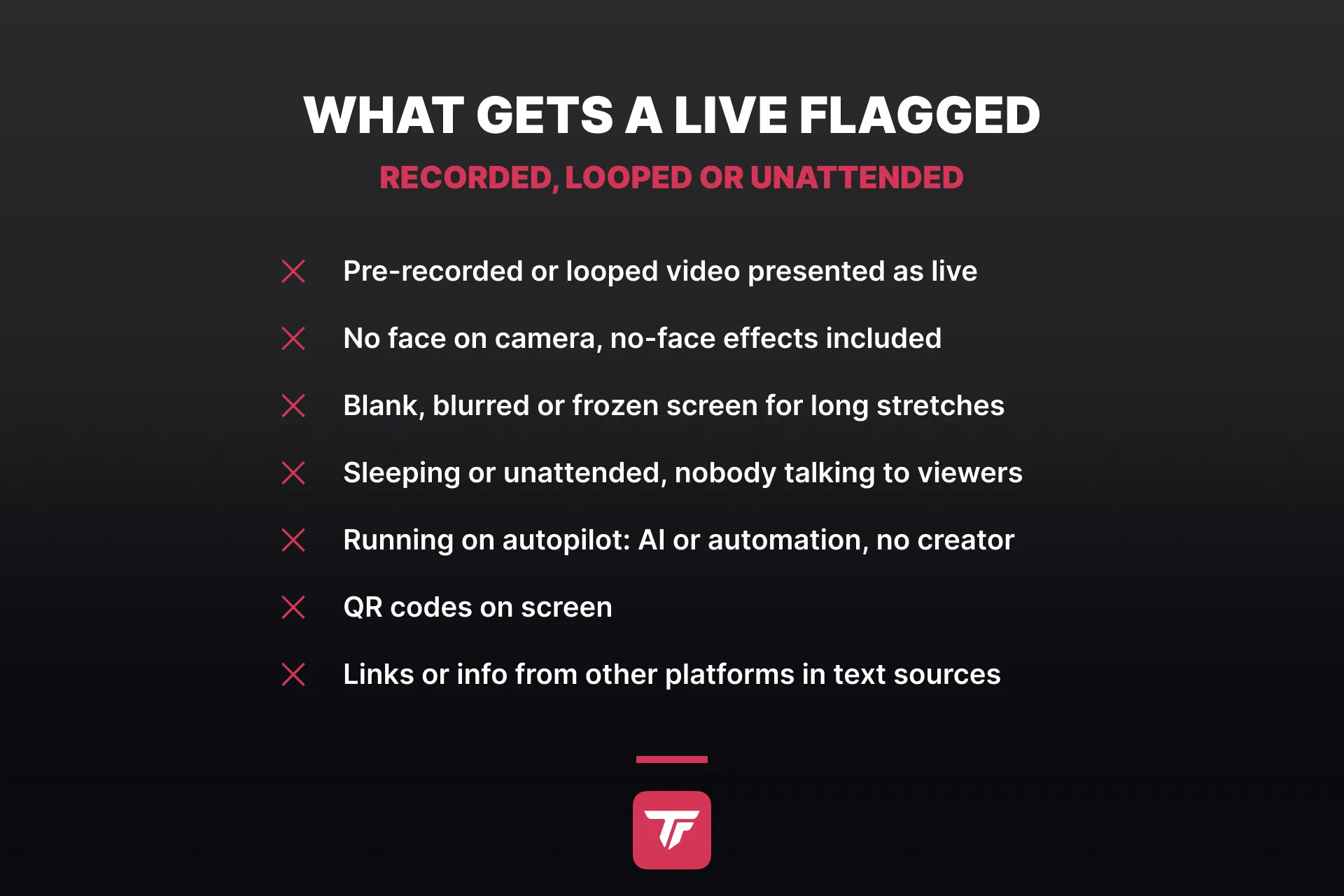
This is the part of the TikTok LIVE guidelines that catches creators who never meant to break anything. TikTok judges a LIVE by what it can observe: authenticity, interaction and whether the creator actually takes part. That yardstick decides about gifts and reach, not about whether you’re allowed to stream, and TikTok applies it in more than one place:
- No recordings presented as live. Pre-recorded, spliced or looping videos shown as if they were a real LIVE aren’t eligible for monetization, and the help center advises against streaming recorded content at all.
- Be on camera. TikTok recommends staying present and on screen for the whole LIVE. Even a no-face effect can read as low interaction and make the stream look like a recording.
- No blank or frozen screens. Long stretches of a blurred, covered or static screen count as low-quality content. A weak connection produces the same picture, stuck frames and still images, which is why TikTok asks for a fast network.
- Passive streams can lose gifts. Sleep streams had their moment on TikTok: creators dozed off on camera with a “don’t wake me up” in the title, and every gift set off a sound that did exactly that. TikTok doesn’t ban the format, but its monetization guidelines list sleeping on LIVE, or doing routine tasks without talking to anyone, as content it may demonetize. If you need to step away for a moment, LIVE Studio has a Pause LIVE option behind the end LIVE button.
- No autopilot. A stream run mainly by automation or AI, without you actually taking part, isn’t eligible for monetization.
Two more TikTok LIVE stream rules from the help center that are easy to miss: don’t display QR codes, and don’t add text sources with information or links from other platforms. Repeatedly sending viewers off TikTok is on the low-quality list as well. The help center frames the flip side as a tip rather than a rule: stepping away for too long reads as a lack of engagement, while reading comments as they come in improves interaction and lowers the chance of limited viewership.
The gift rules that get a LIVE demonetized
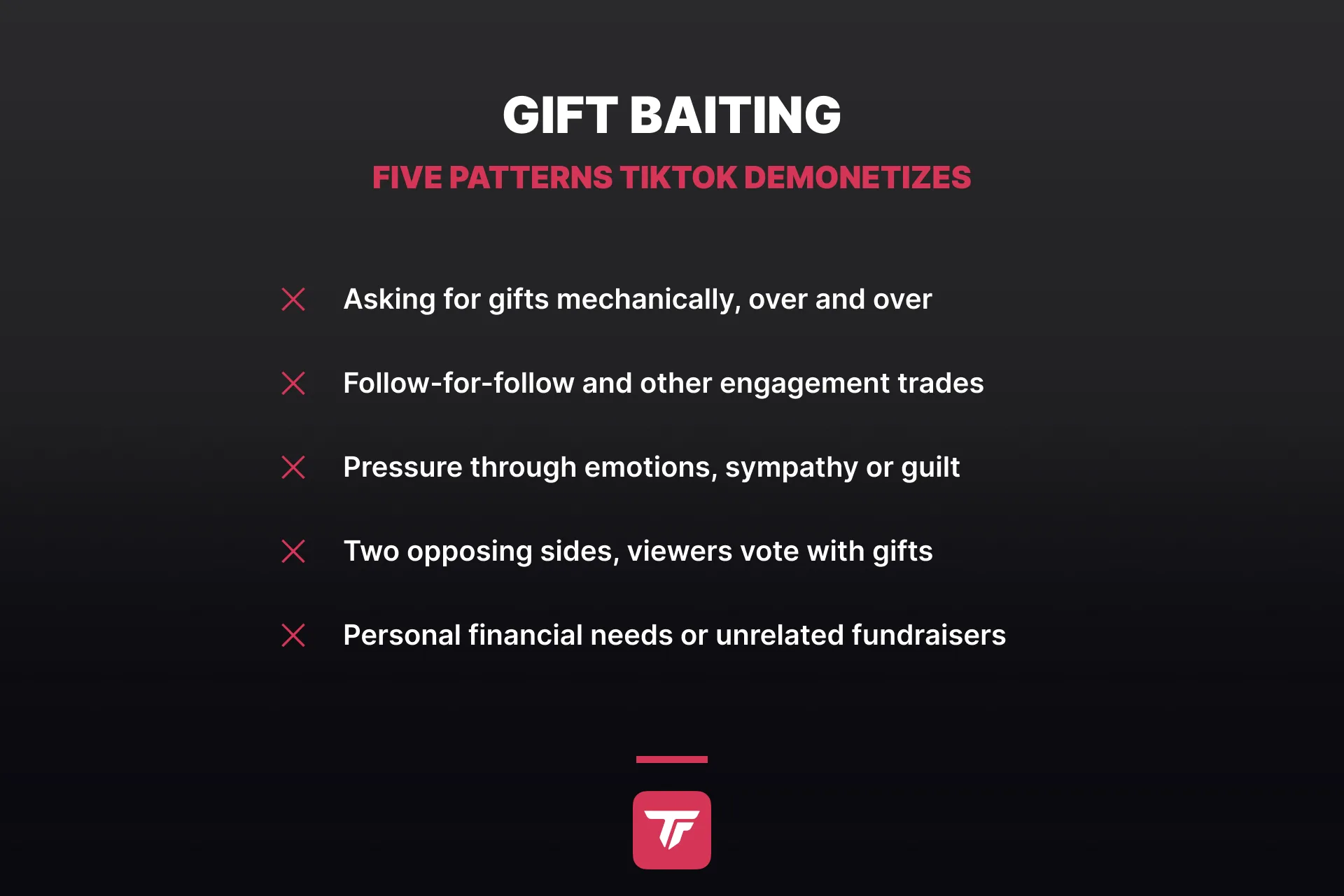
Gifts have their own rulebook, the LIVE Monetization Guidelines. A LIVE can be fine under the Community Guidelines and still lose access to gifts, because TikTok holds monetized content to a higher standard. These are the patterns it names under fake engagement and gift baiting:
- tricking viewers, or asking for gifts mechanically and over and over
- engagement trades like follow-for-follow, or offering likes, follows or gifts in exchange for engagement
- pressuring viewers through their emotions, sympathy or sense of obligation
- pitting two opposing sides against each other and asking viewers to pick one with gifts, likes or comments
- asking for gifts or money because of personal financial needs or a personal fundraiser that has nothing to do with your content
Beyond baiting, a few formats can’t be monetized no matter how harmless they feel: LIVEs where people under 18 are the main focus or main participants, content that exploits conflicts, tragedies or polarizing issues for engagement, excessive eating or drinking, and anything meant to humiliate yourself or others. During critical events, TikTok can also pause LIVE monetization for a while.
The same standards follow you into a LIVE Match. TikTok’s Safety Guide reminds creators that language and behavior during the five-minute battle fall under the Community Guidelines like everything else, and its LIVE feature guidelines add that like-for-like promises, programmed loops and reckless stunts can cost you LIVE Match, gifting and the Weekly, Daily and Hourly Ranking. What TikTok says it wants instead: authentic, interactive LIVEs where the creator is present and talks to viewers in real time.
You answer for your guests and your tools
Two rules cover everything that happens in your LIVE, even when you didn’t say it yourself.
Guests: In a multi-guest LIVE, you’re accountable for what every guest shares. If a guest breaks the rules, TikTok removes them from the session, you can temporarily lose access to guest features, and in severe cases the whole room gets stopped. If a guest’s content isn’t eligible for monetization, your LIVE can face gift restrictions as well.
Tools: TikTok’s Community Guidelines name third-party tools like voice-to-text software, real-time translation and on-screen comment displays. The example TikTok gives is a tool that reads out a harmful comment: you’re accountable for having switched it on, and repeated issues can lead to restrictions on LIVE or LIVE features. That includes text-to-speech, chat overlays and every other tool that puts your viewers’ words on stream.
Keep text-to-speech and chat overlays clean
So don’t switch text-to-speech off, set it up with filters instead. TikTok gives you the first layer in your LIVE settings, documented on its comments on TikTok LIVE page:
- Moderators: up to 30 per LIVE, added under Settings before you start. They have to be friends or mutual followers, and with comment permissions they can mute, block and pin comments and manage your keyword list with you.
- Blocked keywords: up to 500 words or phrases that never show up in your chat. By default TikTok also catches variations, so blocking “bad” takes “badness” and “baddd” with it.
- Filter comments: spam and potentially unkind comments are filtered out of the box, and you can add community-flagged comments, which show up faded for you and your moderators until one of you approves them.
- Mute rules: viewers who post a word you’ve listed get muted automatically, from five seconds to the entire LIVE, and their earlier comments disappear from the chat.
TikFinity adds the second layer for everything it reads out loud or shows on your stream. Its text-to-speech on PC starts with the question of who gets a voice at all:
- Allowed Users: tick the groups you trust, everyone in chat, or only followers, Super Fans and subscribers, moderators, team members above a level you set, your top gifters, or a hand-picked list of people.
- Special Users: block a single person from TTS entirely, or give a regular their own voice.
- Comment types: make TTS opt-in, so it only reads comments that start with a dot, a slash or a command like !tts.
- Spam Protection: a cooldown per user, a maximum queue and comment length, and filters for letter spam, @mentions and !commands.
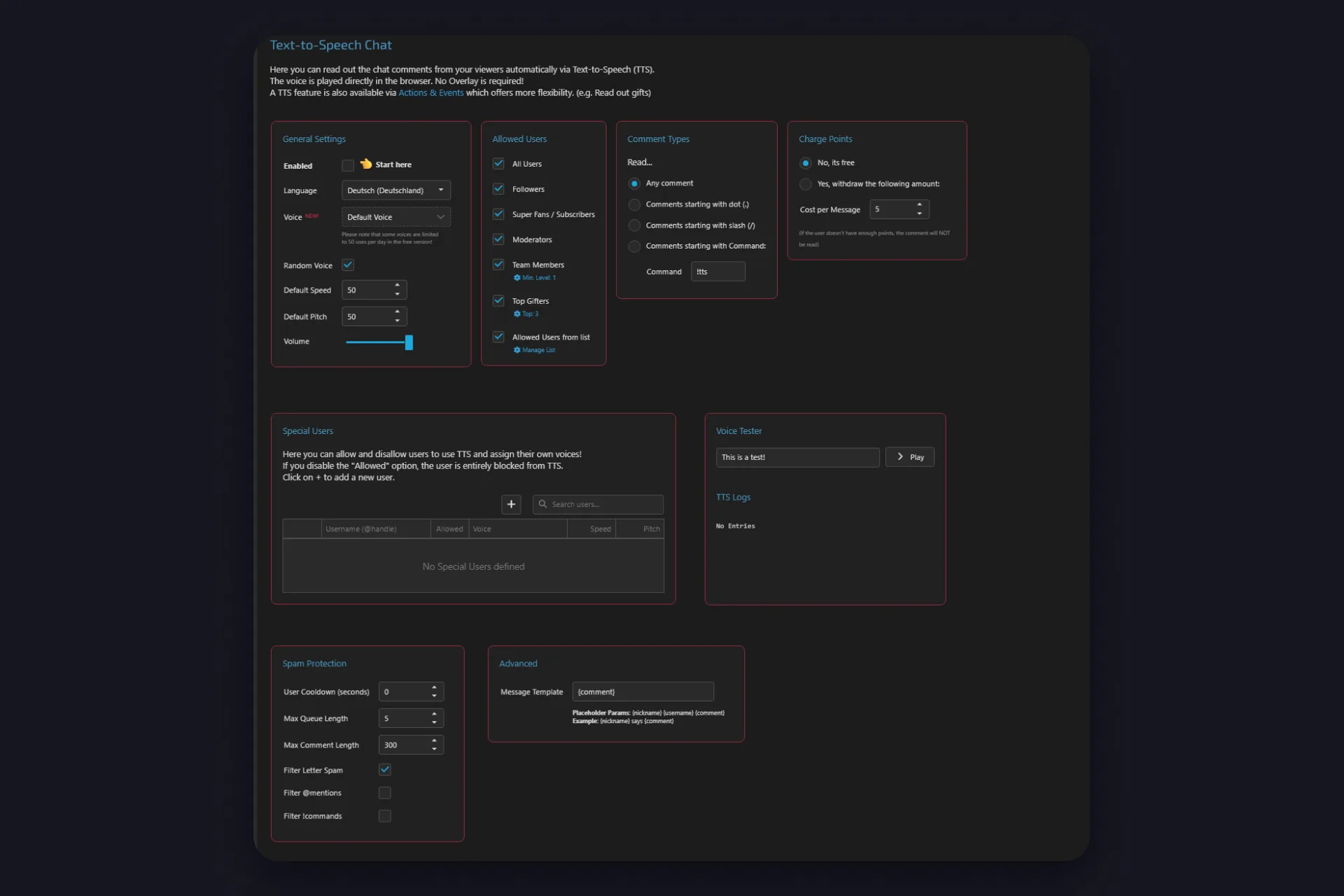
The chat overlay follows the same idea: you decide which groups of viewers show up on screen. And if you stream from your phone, TikFinity Mobile’s text-to-speech brings the same Allowed Users filter, a Filter Profanity toggle with your own Banned Words list that catches spelling tricks, and spam protection with a cooldown, a maximum comment length and Filter Letter Spam.
Put the two layers together, TikTok’s blocked keywords and TikFinity’s user filters, and the one comment you’d never want read out never reaches your viewers’ ears. That’s the whole third-party-tools rule handled before your stream even starts.
Ten minutes of setup before your first TTS stream, and your chat can stay as loud and fun as you want it, with you deciding who’s on the mic.
What happens when you break a TikTok LIVE rule
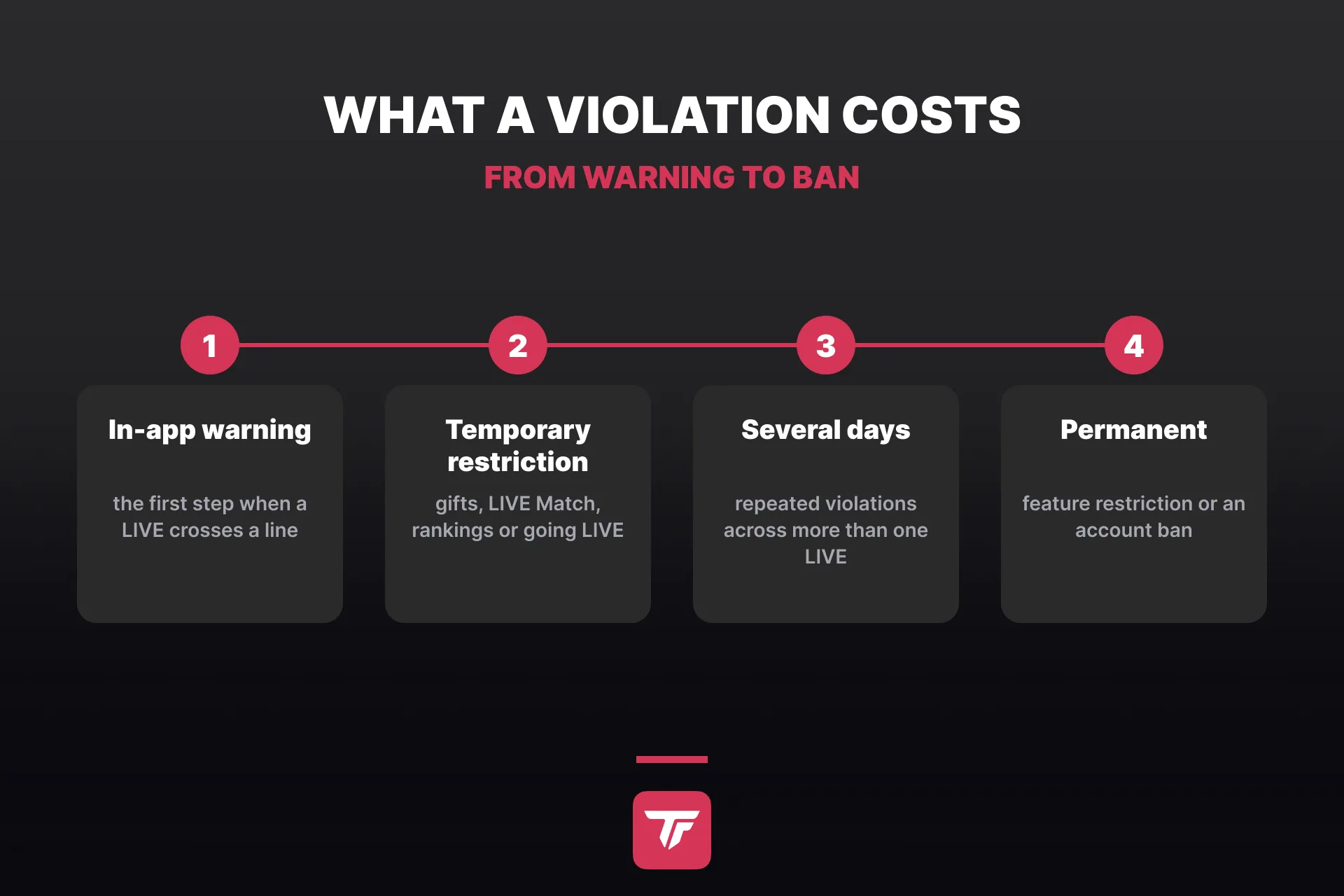
TikTok enforces its LIVE rules with a mix of technology and moderators. What follows depends on how serious a violation is and how often it happens:
- During the LIVE: TikTok can stop the session. A guest who breaks the rules gets removed from it.
- Reach: if your LIVEs repeatedly fall short of TikTok’s For You feed standards, they can be shown to fewer people or lose certain LIVE features. A LIVE that isn’t eligible for the For You feed isn’t eligible for monetization either.
- Gifts and features: an in-app warning first, then a temporary restriction of LIVE monetization features such as LIVE Gifts, LIVE Match and time-based rankings. Repeated violations across several LIVEs stretch that to several days, and repeated or severe cases can make it permanent.
- LIVE access: a temporary restriction from going LIVE. Repeated or serious violations, including trying to get around a restriction, can end in an account ban.
You’ll know when it happens. TikTok’s feature guidelines promise a message in your in-app inbox that names the restricted feature, the reason and how long it lasts, plus a pop-up on screen if you’re LIVE at that moment. Restricted features show up greyed out in the app, and you get another message once they’re back.
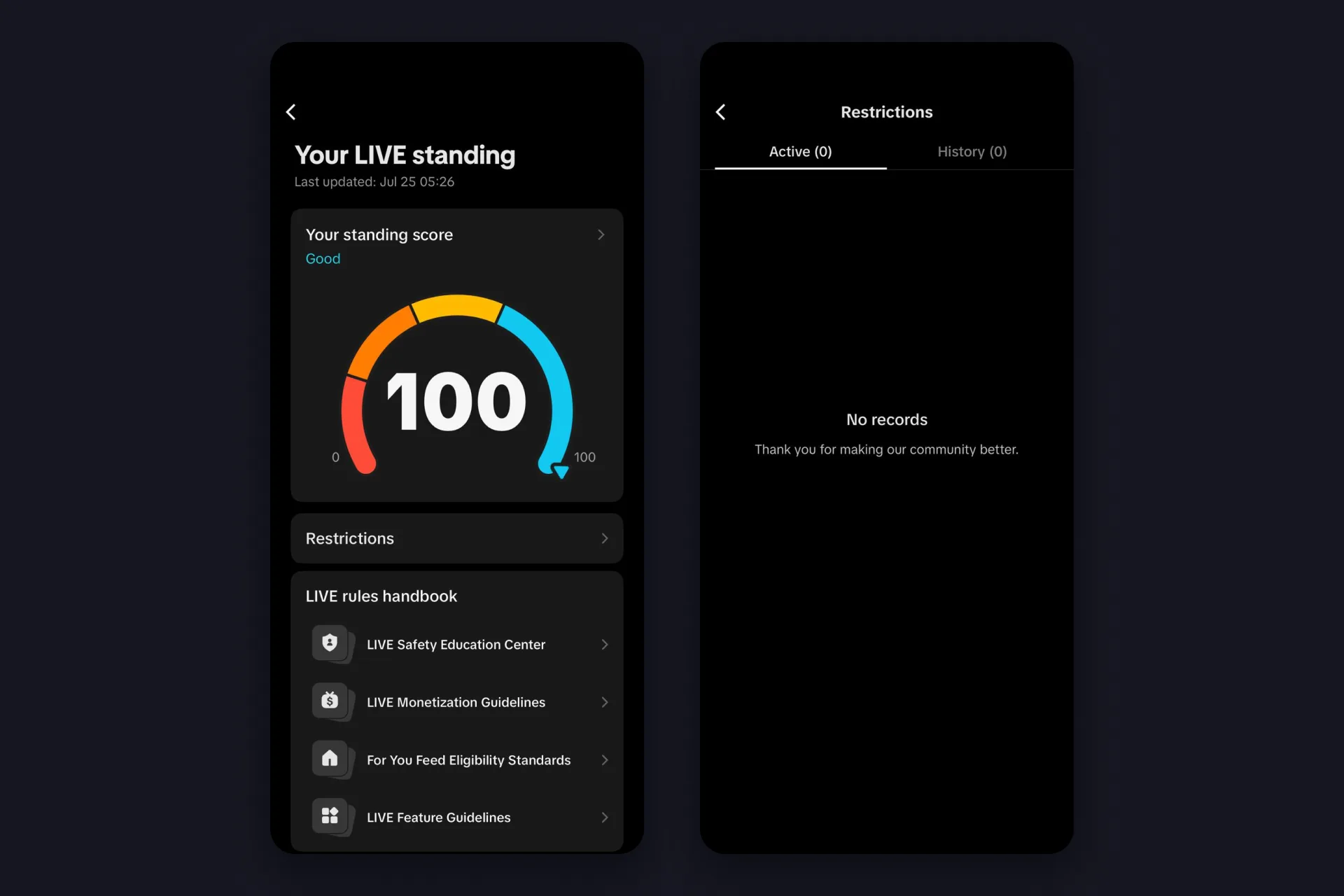
You can also check your record any time. TikTok’s guidelines still point to Creator tools > LIVE Center > Rules and guidance, but on an iPhone in October 2026 we found it under TikTok Studio > LIVE > Tools and resources > Your LIVE standing. That page shows a standing score from 0 to 100, your Restrictions split into active and past ones, and a LIVE rules handbook that links the LIVE Safety Education Center, the LIVE Monetization Guidelines, the For You feed eligibility standards and the LIVE feature guidelines.
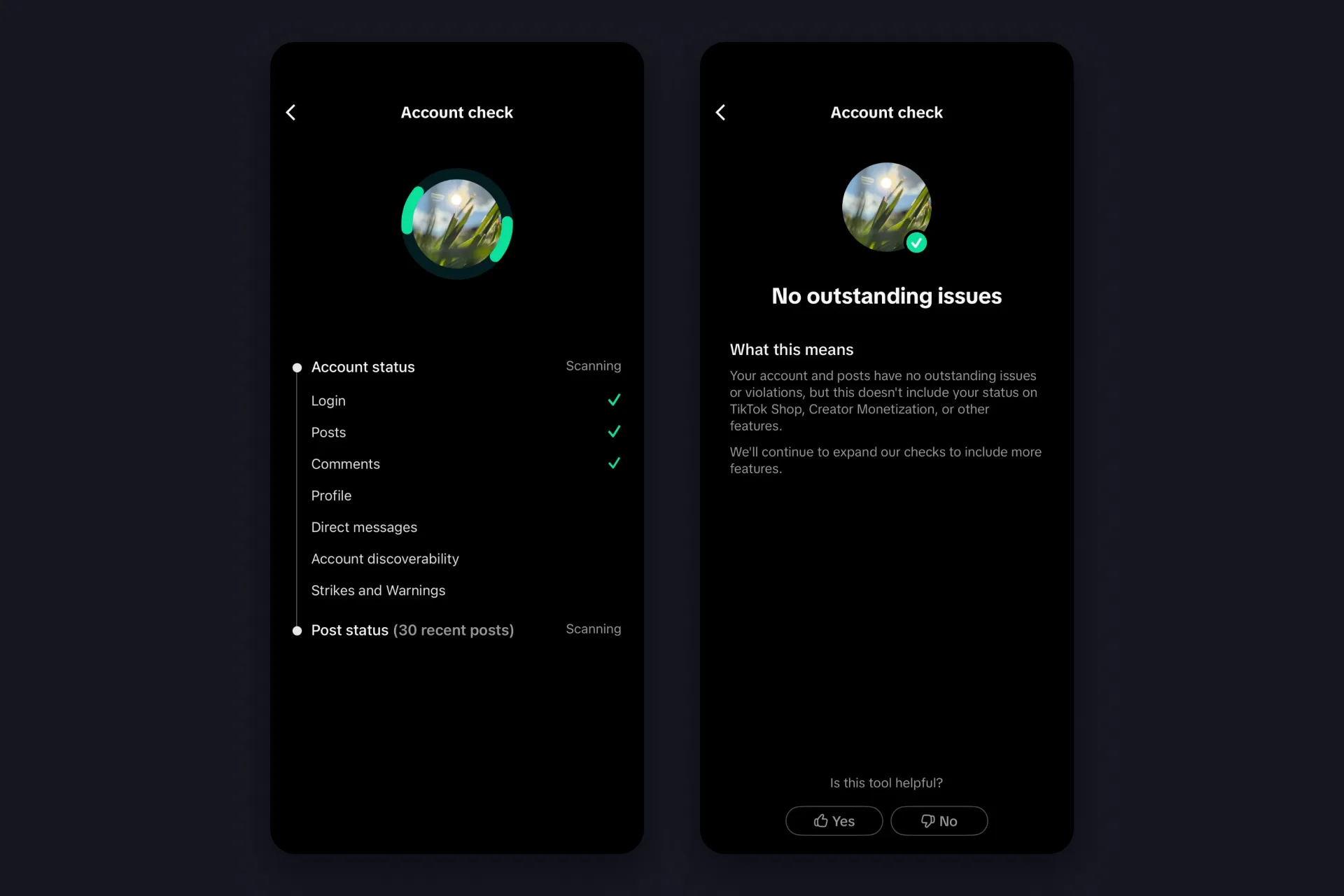
TikTok Studio also has a separate Account check that scans your login, posts, comments, profile, messages, discoverability and strikes, though TikTok notes it doesn’t cover your monetization status.
One more layer sits above all of this: the Creator Code of Conduct from TikTok’s Creator Academy. It applies to everyone who uses LIVE gifting or any other creator program, and it covers how you behave off TikTok as well as on it. Among the things it bans are doxxing, scams, fake engagement and platform manipulation, which TikTok spells out as multiple-account abuse or using a VPN to get around its systems. Serious violations can lock you out of gifting and the other creator programs for three months, egregious ones permanently.
If you think TikTok got it wrong, appeal. The Safety Guide walks through it: open the Violation Details page, tap Submit appeal, fill in the Request another review form and send it. You’ll see a confirmation, and updates land in your notifications. For monetization restrictions, the appeal option comes right with the inbox notification.
A one-minute rules check before you go LIVE
✅ You’re on camera and plan to stay there, or you know where Pause LIVE is
✅ Nothing on screen you don’t have the rights to: no TV, no movies, no other creators’ streams
✅ No QR codes or links to other platforms in your text sources
✅ Moderators and blocked keywords are set in your LIVE settings
✅ Your About me tells viewers what the LIVE is about and which rules apply in your chat
✅ TTS and chat overlays only pass on what you want to hear and show
✅ Promoting a product? The commercial disclosure toggle is on
✅ Your guests know your rules, since you answer for them
Eight ticks, and the rules stop being something to worry about. What’s left is the actual stream.
FAQs about TikTok LIVE rules
TikTok’s LIVE rules don’t allow sexual content, hate and harassment, graphic violence, dangerous stunts, driving while LIVE, promoting gambling and streaming content you don’t have the rights to, like TV sports, movies or other creators’ streams. On top of that, recorded or looped videos presented as live, blank screens and long unattended stretches can cost you gifts or reach.
Depending on how serious and how frequent a violation is, TikTok can stop the LIVE, limit how many people see your LIVEs, restrict your access to gifts and other monetization features temporarily or permanently, or restrict you from going LIVE. Repeated or serious violations can lead to an account ban, and serious breaches of the Creator Code of Conduct can lock you out of gifting for three months.
TikTok advises against it. Pre-recorded, spliced or looping videos presented as if they were live aren’t eligible for monetization, and TikTok recommends being present and on screen for the whole LIVE.
Gifts themselves are part of LIVE, but TikTok’s LIVE Monetization Guidelines name gift baiting: tricking viewers, asking mechanically and over and over, follow-for-follow trades, emotional pressure, or asking for money for personal financial needs. LIVEs like that can lose access to gifts.
Yes. TikTok’s Community Guidelines make LIVE creators accountable for third-party tools they switch on, including tools that read out comments or show them on screen. Filter what your TTS reads, for example with banned words and a limited group of users, and set blocked keywords in TikTok’s LIVE settings.
Open the Violation Details page for the restriction, tap Submit appeal, fill in the Request another review form and send it. TikTok shows a confirmation and posts updates to your notifications. For monetization restrictions, the appeal option comes right with the inbox notification. If you still can’t go LIVE afterwards, our guide on why you can’t go live on TikTok lists the other causes.